
You should be able to share a clickable link to any file stored within our OneDrive. This link can be accessed by external users all it asks for is for them to enter their email address (and a file password if you wish).
To do this you need to click the Share button next to any OneDrive file (in file explorer, right click then share at the top)

That will open the share window, click the settings cogwheel (Link Settings) next to the Copy Link button.
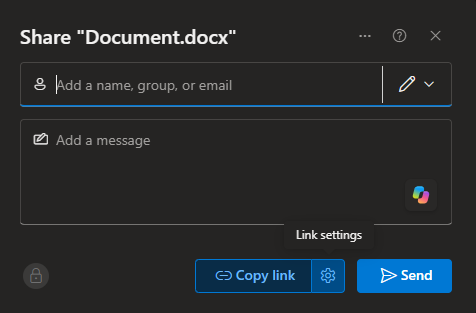
From that window, you can choose which file permissions you want to grant (View, comment, edit) and an optional expiration date for the link.
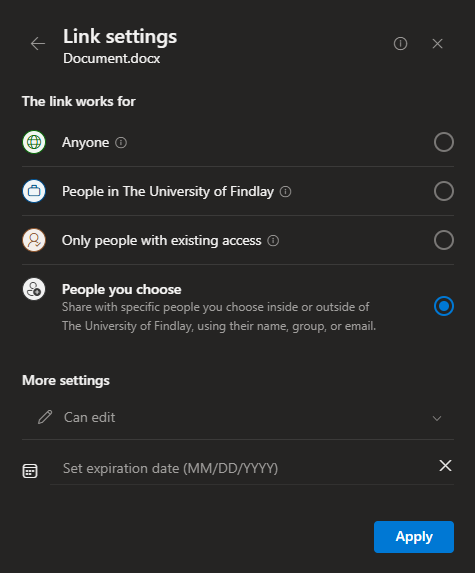
Click "Apply" and type the user(s) email address(es) into the top field to grant them permission to access the file.
Once you send that invite to access the file, the user will receive an email with a link to access these files.
If you have any questions or issues, contact Technology Support Services
419-434-4357 x1