
The Card View Dashboard displays courses you are enrolled in. With overlapping terms, you may see 2 semesters of courses until the previous term is concluded. This view is dynamic, and courses will automatically be removed from the view once the previous term has been concluded.
All terms in Canvas overlap due to the multiple academic calendars that run within each term. Below are the approximate run times for each term:
- Fall: August through January
- Summer: May through September
- Spring: December through June
You may modify what courses are displayed on the Dashboard by favoriting courses. When no courses are favorited, the list will automatically be built with the current active courses. To favorite a course, follow these steps:
(Click images to enlarge them)
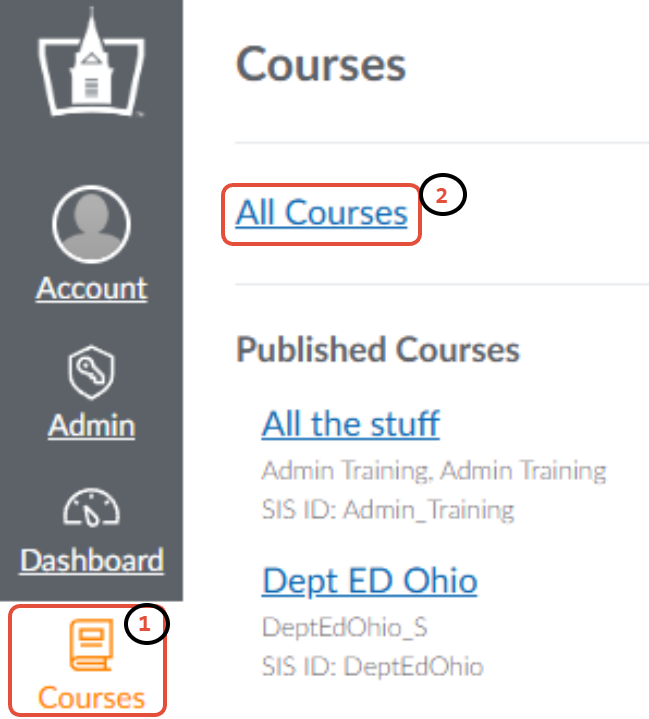
- In the Global Navigation, click the Courses link [1].
- Click on the All Courses link [2].
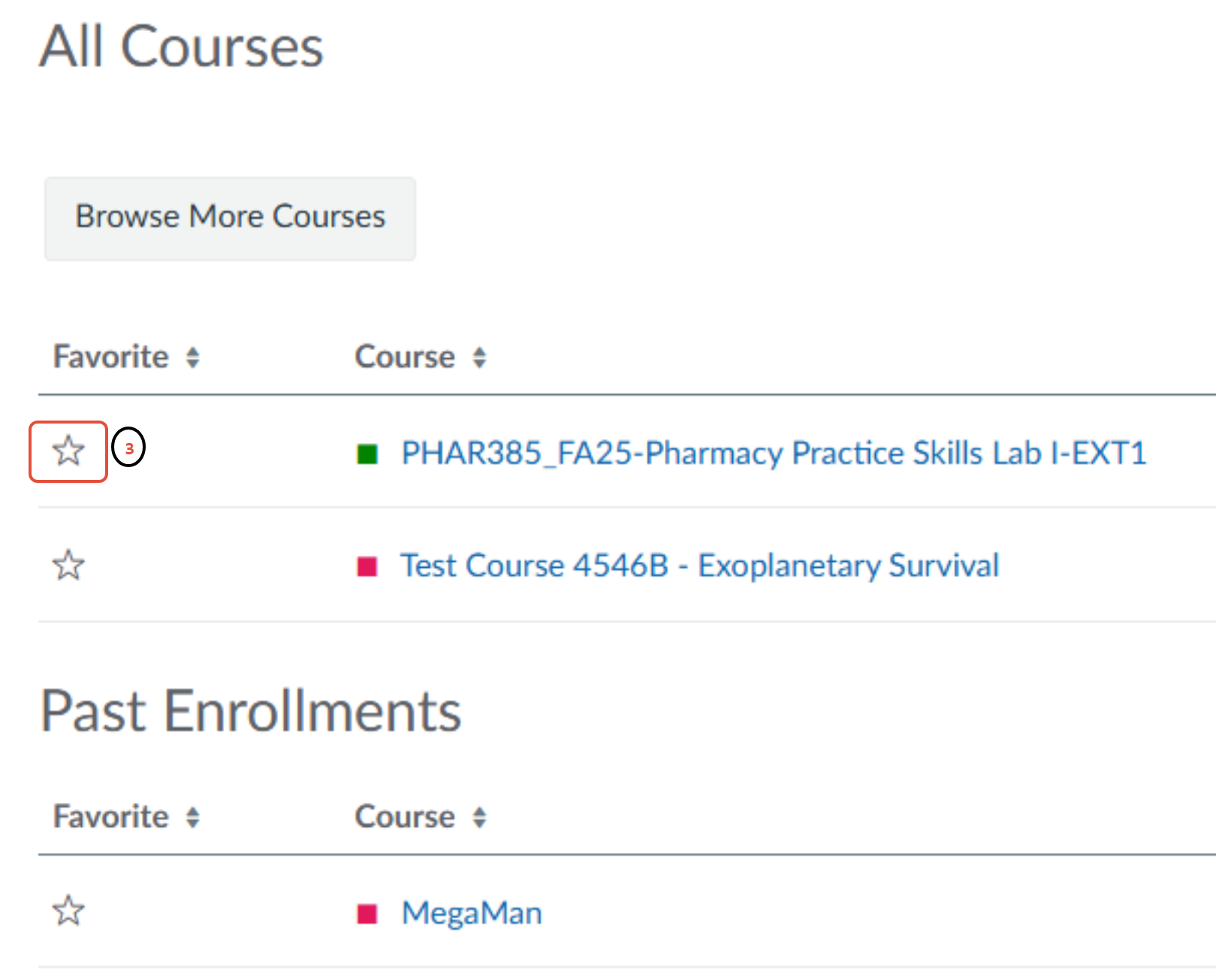
- Select the star next to a current course to favorite it [3].
Active Courses
- Once you favorite a course, only those favorited courses will appear on the dashboard.
- You can unfavorite an active course at any time.
Past Courses
- A course will remain on the dashboard after the term ends only if you have favorited it while it was active.
- Once a course has been moved to Past Enrollments, you can no longer favorite that course.
- You can unfavorite a course at any time.
You cannot favorite any course that is unpublished or not yet active. If you hover over a star icon, the system will display a message explaining what you can or cannot do with that course.
If you have any questions or issues, contact Technology Support Services
419-434-4357 x2