
Teams Meeting and Teams Meeting Chat
A Teams Meeting refers to the online meeting itself.
Teams Meeting Chat refers to the chat attached to the meeting that can also be accessed in the Teams app independently of the meeting.
Relationship Between Meeting and Chat
In a Teams Meeting, everyone in the meeting is added to the Teams Meeting Chat for that meeting by default.
Members can be added to the Teams Meeting Chat independently of the Teams Meeting.
Members of the Teams Meeting Chat will be removed from the Teams Meeting Chat independently from their attendance in the Teams Meeting.
All members of the Teams Meeting Chat will have access to all of the Teams Meeting Chat communication, notifications, and recordings that were created while they were members.
Example:
If someone is removed from the chat before the meeting's end, and when the meeting recording is shared, they will not be able to view this recording.
- Anyone in the chat can add or remove any other members or remove themselves but they cannot remove the meeting organizer.
Locate the Teams Meeting Chat
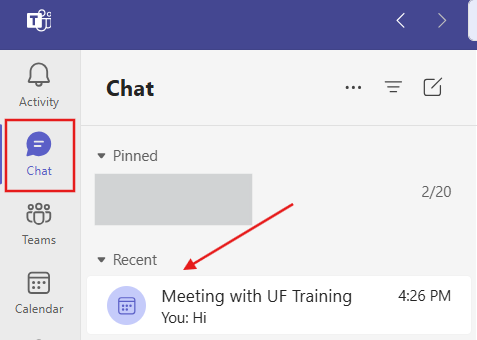
The Teams Meeting Chat can be found in your Teams app (or Teams online) under Chat, then Recent.
View and Manage Chat Members
In the Teams Meeting Chat, you can find the list of chat members by clicking the View and Add Participants icon at the top of the Chat window.
You can then hover over a member and click the X to remove them from the chat or click Add people to add a member.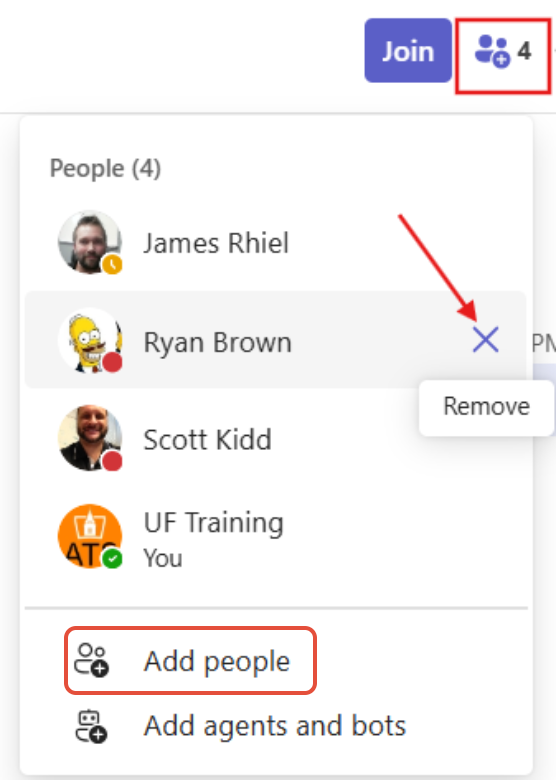
Removing a Member from the Chat
When removing a member, a box will pop up asking if you're sure you want to remove the member. There is also a reminder that removing them from the chat will not remove their access to the chat history from before they were removed.
Click Remove in this box, and they will be removed from the Teams Meeting Chat.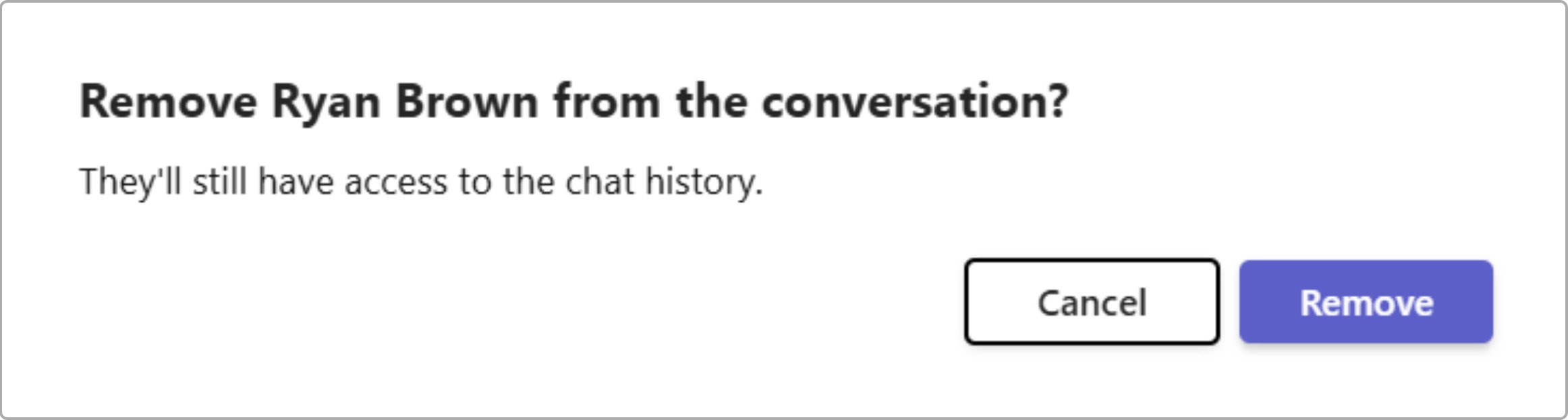
Adding a Member to the Chat
When a member is added to the Teams Meeting Chat, you can choose how much of the chat history to include.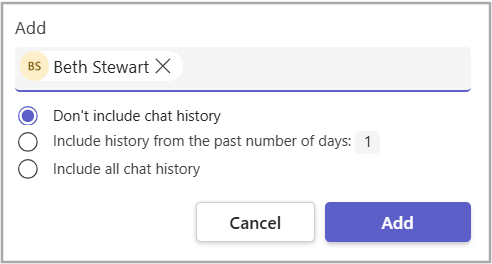
Contact Technology Support Services
If you have any questions or issues, contact Technology Support Services:
- Phone: 419-434-4357
- Email: helpdesk@findlay.edu